
Quick answer
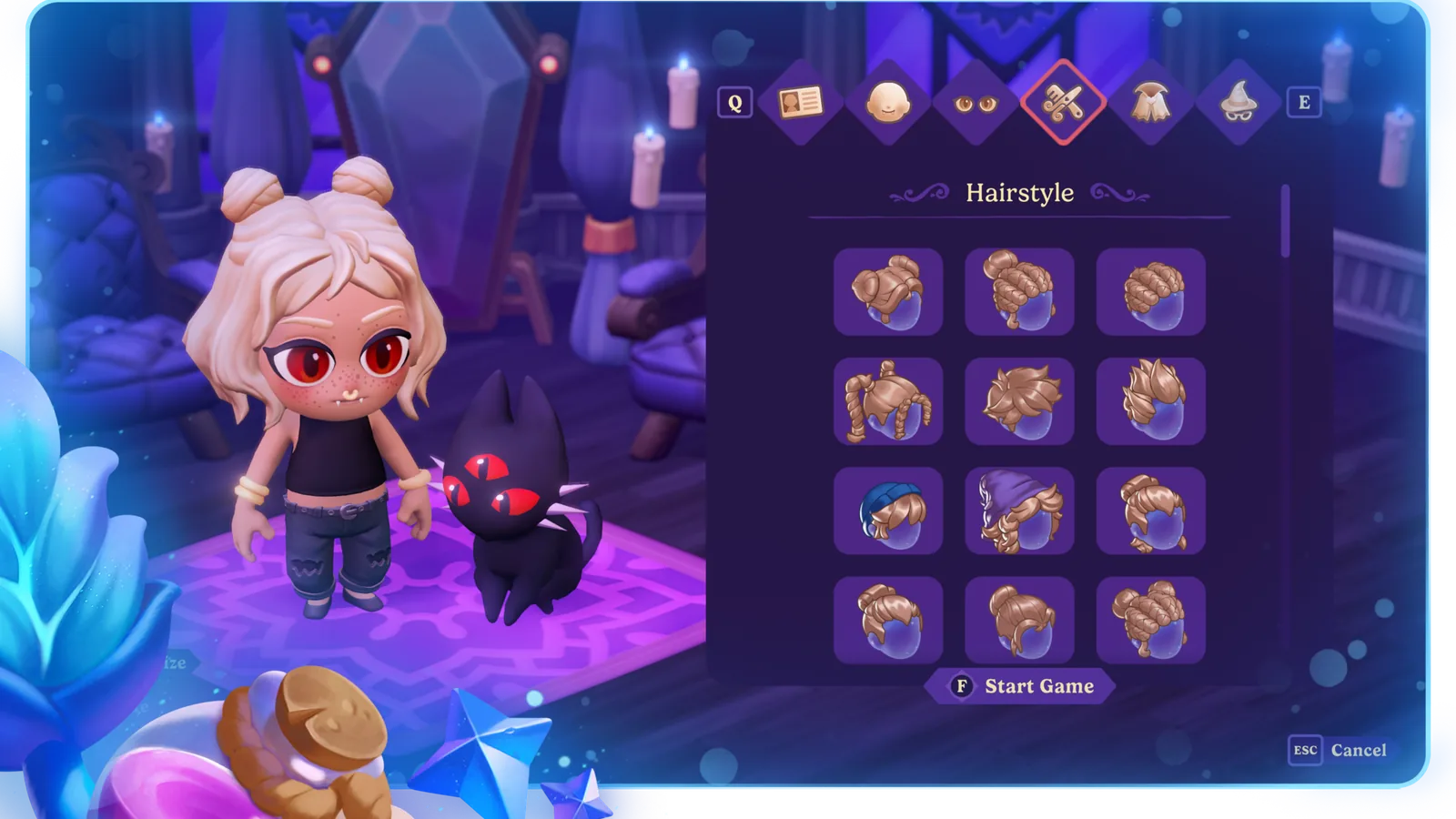
Character customization is the first step in a new save. Work through Face, Eyes, Hair, Outfit, Accessories, and preview the whole character before continuing. Steam 1.2.3 and later lets you change hair at a mirror without consuming an Alter Ego Elixir. For broader appearance edits, the Alter Ego Elixir still lists this effect: Change your appearance.
- Character customization is the first step in a new save
- Review each category: Face, Eyes, Hair, Outfit, Accessories.
- Compare the full silhouette and close-up details before continuing.
- For a later hair edit on Steam 1.2.3 or newer, use the mirror.
- For a broader appearance edit, check the Alter Ego Elixir; its listed purpose is: Change your appearance.
Start the new save with a clear visual idea
Character customization is the first step in a new save. The official invitation is to “customize the perfect vampire persona.” You can treat that invitation broadly: build a character you can recognize at a glance, then refine details that support the mood you want for the farm, town, and story.
Begin with a short visual brief rather than clicking through every choice without direction. Pick a mood, a contrast level, and one feature you want to remain recognizable during ordinary play. These choices are about personal style and do not affect progression.
Keep the brief flexible. A look that seems dramatic in a close portrait may read differently against dark outdoor scenes or a busy farm. Preview the complete character whenever the creator allows it, then decide whether the large shapes and colors still support the idea.
Work through the creator categories
The creator categories are Face, Eyes, Hair, Outfit, Accessories. Use that list as a review order rather than a count of the individual choices inside each category. The menu in your game shows every selection currently available.
Start with Face and Eyes when you want to establish the close-up expression, then compare Hair with the overall silhouette. Review Outfit as the main block of color and shape, and use Accessories for supporting detail. You can change this order whenever another feature matters more to your design.
After each major change, zoom back out or return to the broadest preview available. A creator can make small details feel dominant while editing, but most play happens at a wider scale. Rechecking the full view keeps one interesting detail from weakening the complete design.
Establish the close-up expression
Begin with Face and Eyes. Review them together because their shapes and contrast contribute to the expression seen in closer views. Alternate between editing and previewing instead of finalizing either category in isolation.
For a calm look, keep nearby details from competing for attention. For a theatrical look, choose one strong focal area and let the surrounding choices support it. These are ordinary visual-design approaches; the game does not assign them mechanical advantages.
Check the character against both light and dark backgrounds when the interface provides enough contrast to do so. If a detail disappears, decide whether subtlety is intentional. The goal is recognizability that suits your taste, not a universal correct setting.
Build a readable silhouette
Use Hair and Outfit to judge the character's larger silhouette and color balance. Look at the top, shoulders, and main clothing shape as one composition. A strong silhouette can remain identifiable even when facial detail is small on screen.
Steam 1.2.3 and later lets you change hair at a mirror without consuming an Alter Ego Elixir. This patch rule is narrower than a full appearance reset: it establishes the mirror route for hair, not every creator category on every platform.
Try a simple contrast test: briefly imagine the character as a dark shape, then ask which outline or color block you notice first. If every element demands equal attention, reduce one competing detail. Use the result as a visual preference check rather than a score the game assigns.
Think about the environments you expect to enjoy—farm paths, interiors, coast, or town—without treating any setting as a restriction. A darker palette may feel atmospheric while a brighter accent can help orientation. Choose based on the experience you want rather than a supposed optimal outfit.
Use supporting details deliberately
Accessories can reinforce the character's theme or provide a small contrasting focal point. Add one supporting idea at a time, return to the full preview, and keep only the details that strengthen the design. More detail is not automatically more personal.
When an accessory overlaps another feature visually, compare the combination from multiple preview angles if available. Decide which element should lead and which should support it. This avoids building a close-up that becomes difficult to read in ordinary play.
You can also leave visual space around a signature feature. Restraint gives a favorite hair shape, eyes treatment, or outfit block more room to define the character. Again, this is aesthetic guidance only; it does not imply a hidden score or reaction.
Run a final preview before continuing
Review the complete list once more: Face, Eyes, Hair, Outfit, Accessories. Check close-up expression, full silhouette, color balance, and the relationship between the main feature and supporting details. Return to any category that weakens the original brief.
Ask whether you can recognize the character quickly, whether the palette works in a darker scene, and whether one element clearly carries the theme. These questions help refine your visual preference and do not change hidden game outcomes.
Take a screenshot if you want a reference for later. It can help you compare a future edit without relying on memory. Continue only when the overall design feels coherent enough to begin; it does not need to solve every future styling idea.
Change your appearance later
Steam 1.2.3 and later lets you change hair at a mirror without consuming an Alter Ego Elixir. Open the mirror first when hair is the only feature you want to edit. The official patch note does not apply that shortcut to every appearance category, so keep the hair rule separate from broader customization.
The Alter Ego Elixir lists the broader effect “change your appearance.” Before using it for a non-hair edit, take a reference image of the current character and write down the visual change you want. Compare the new full preview and keep unrelated choices stable until the intended change reads clearly.
If the item or menu differs from this description, rely on the wording shown by your game. Do not spend extra resources on a recipe or acquisition method that is not listed here. If you report a mismatch, include the platform, version, item text, and a screenshot.
Try a practical customization workflow
A theme-first workflow begins with a short phrase, chooses a main silhouette, adds one accent, and then refines the close-up. A feature-first workflow starts with a favorite choice from face, eyes, hair, outfit, or accessories and builds the rest around it. Both methods reduce decision fatigue by giving each change a clear purpose.
A contrast-first workflow begins with the main color relationship and checks readability before adding fine detail. This can help when you expect to spend much of the game in dark environments. It is not mechanically superior; it is simply easy to evaluate.
Whichever workflow you choose, make changes in small groups and preview between them. When everything changes simultaneously, it becomes difficult to identify why the design feels stronger or weaker. Slow comparison usually makes the final choice faster.
Follow the current menu and item text
Character creation begins a new save and includes Face, Eyes, Hair, Outfit, Accessories under the official theme “customize the perfect vampire persona.” Later, use the mirror for hair where the Steam 1.2.3 change applies, and use the Alter Ego Elixir according to its current description for broader appearance changes.
Use the visible creator and item descriptions for any option not covered above. If a patch changes what appears, the menu in front of you should guide the decision. A screenshot can help you compare the look again after a later update.
The beginner guide can help you plan the first nights after the character is ready. The Loveage Festival guide offers a separate event-planning path. Both are useful next steps once you are comfortable with the look you will take into Nokturna.
Sources checked
The references below confirm the details used in this guide.
- Checked
- Game version
- Current Steam 1.2.7; mirror hair change introduced in 1.2.3
- Platform
- Steam mirror change; creator categories apply across platforms unless noted
References
Related guides
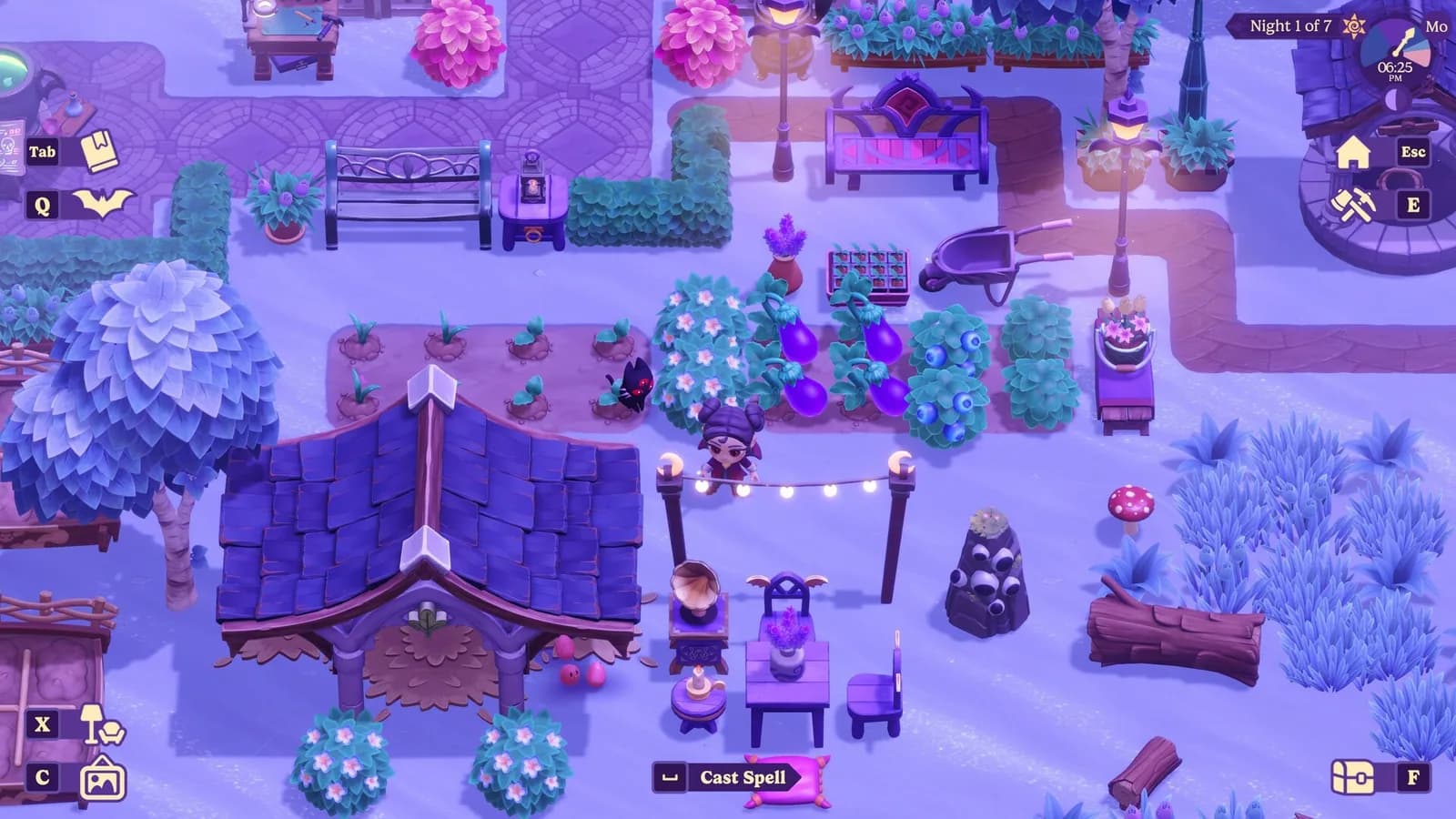
Beginner's Guide to Your First Nights
A spoiler-light route through the farm loop, spellbook, town, and first upgrades.
Read guide
Moonlight Peaks Loveage Festival Guide
Plan both Loveage Festival visits, follow the secret-admirer exchange, and check the Steam 1.1.45 Gift Exchange soft-lock fix.
Read guide